Terrain
Hyperreal© Terrain is an opinionated terrain material built on top of Terrain3D . It keeps everything Terrain3D is good at — regions, sculpting, painting, streaming — and replaces the part you actually look at: the material.
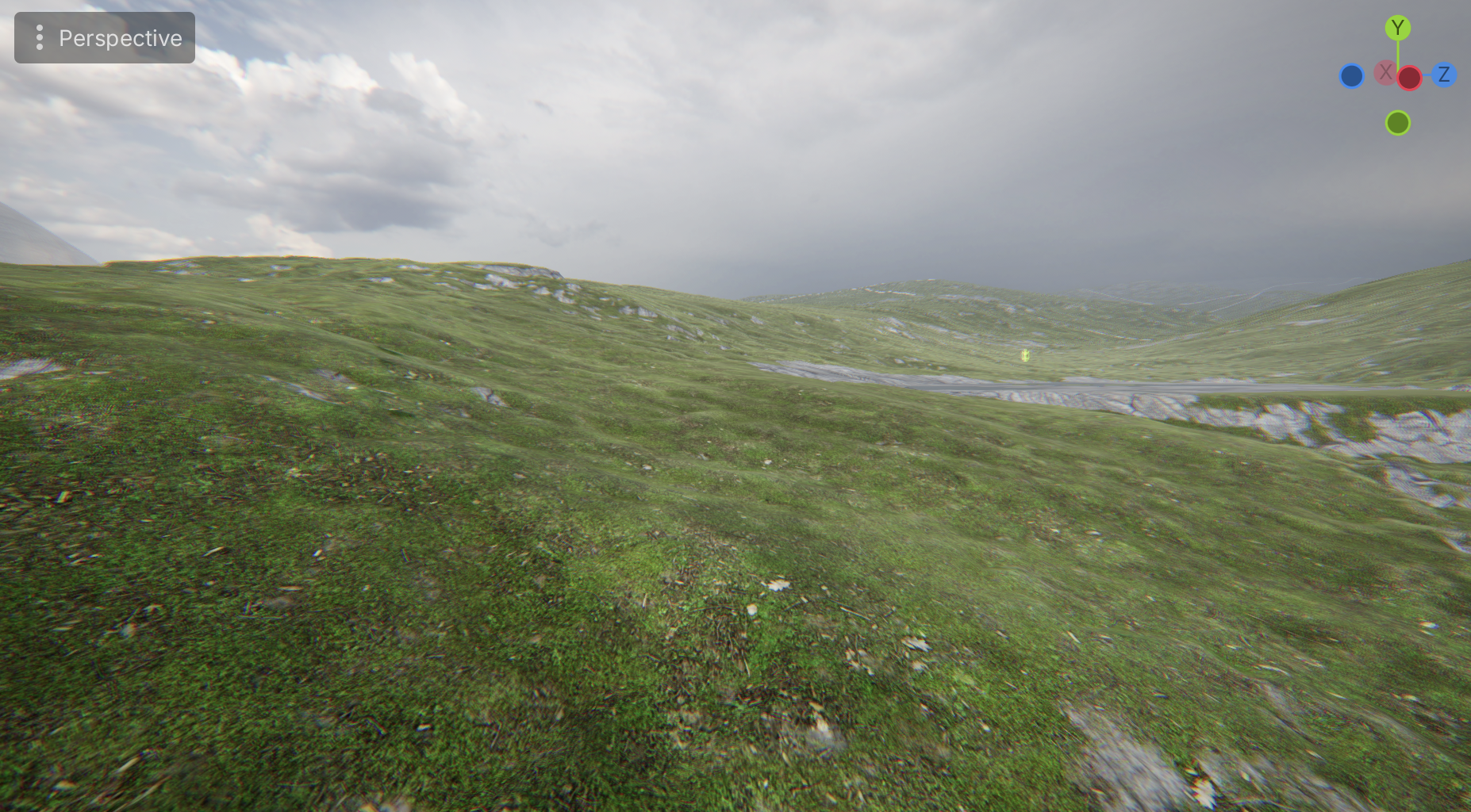
Grass, rock and river bed over a single painted control map.
Materials, not textures
Stock Terrain3D thinks in textures. That means duplicating a texture every time you want the same rock at a different roughness, and it leaves no room for a surface that has no texture at all.
Hyperreal Terrain thinks in materials. Your terrain holds a list of them, each with its own full property block, and each pointing at whatever textures it needs — or none.
- No texture redundancy. Two materials that share an albedo cost one texture, not two. Reuse is free.
- Textureless materials. Water, snow, painted colour — surfaces that don’t need a bitmap don’t pay for one.
- Ordering by drag. A material’s paint order is its position in the list. Reorder it in the inspector and the terrain follows.
- Up to 32 materials on a single terrain.
Colour that survives painting
Painting tint onto terrain normally fights you. Brushes blend in a colour space that doesn’t match how you see colour, so red next to yellow gives you green in between, and a saturated tint over a desaturated rock texture makes its hue scatter.
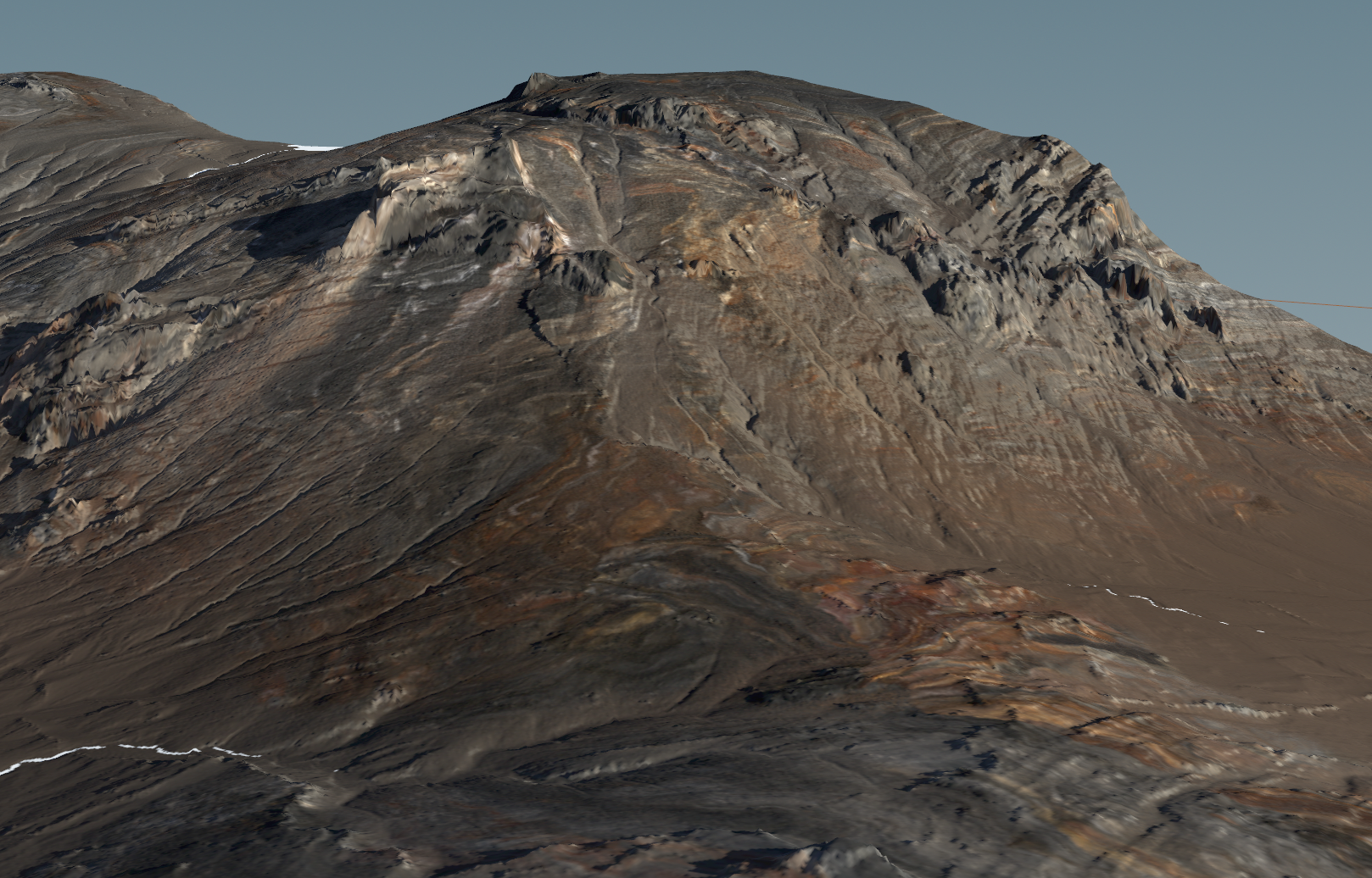
Normal map depth pushed hard up close…
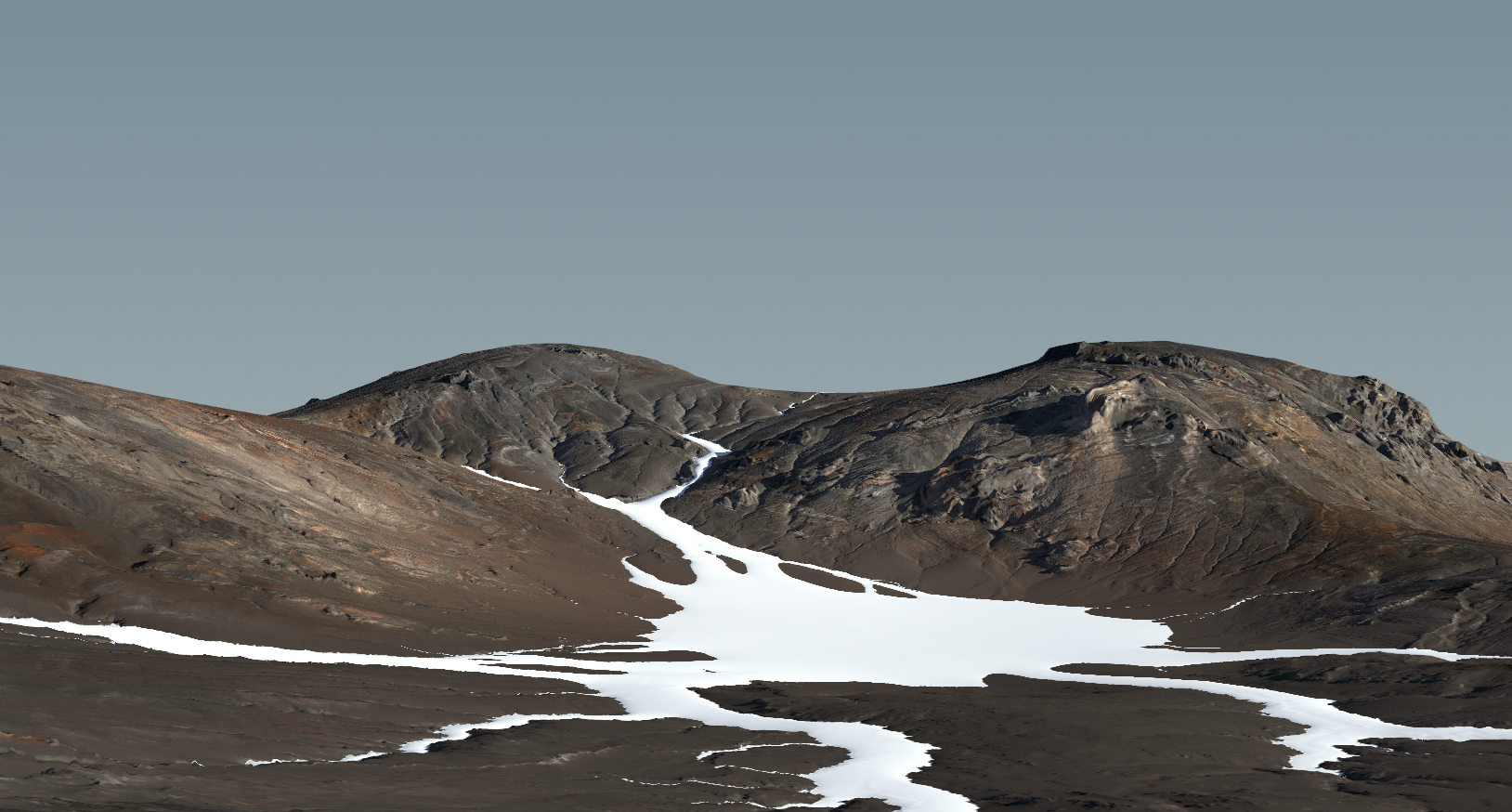
…and eased off at distance, so ridgelines stay readable instead of aliasing.
Hyperreal Terrain’s colour controls are perceptual. Lightness, chroma and hue behave the way your eye expects: a tint does what you meant, brush edges blend through the colours you painted with rather than through a detour, and pushing saturation doesn’t shred the texture underneath.
Colour is a per-material offset, not a global grade — so you can warm the grass without touching the rock next to it.
Lighting
Terrain uses the lighting model shared across the bundle. It matches Godot’s own lighting exactly, then adds what ground surfaces need:
- Specularity per material — wet rock and dry moss on the same terrain.
- Light wrap — the soft, scattered look of light passing through grass blades and thin ground cover.
- Sheen — the grazing sheen you get off dry grass and moss when the sun is low and behind it.
- Subsurface parameters for materials that need real depth.
- Distance-aware normals — a normal map can be dramatic up close and calm at range, instead of turning into shimmer on the horizon.